Get started
Start your website from an example
Pick a finished website you like, see your business name on it, and Mirin makes your own homepage in that design. It is free, no card is asked for, and it arrives in your inbox.
On this page
Try your name on an example
The Examples page shows ten websites made with Mirin, each for an invented business. You are choosing a look. Nothing about those businesses carries over to yours.
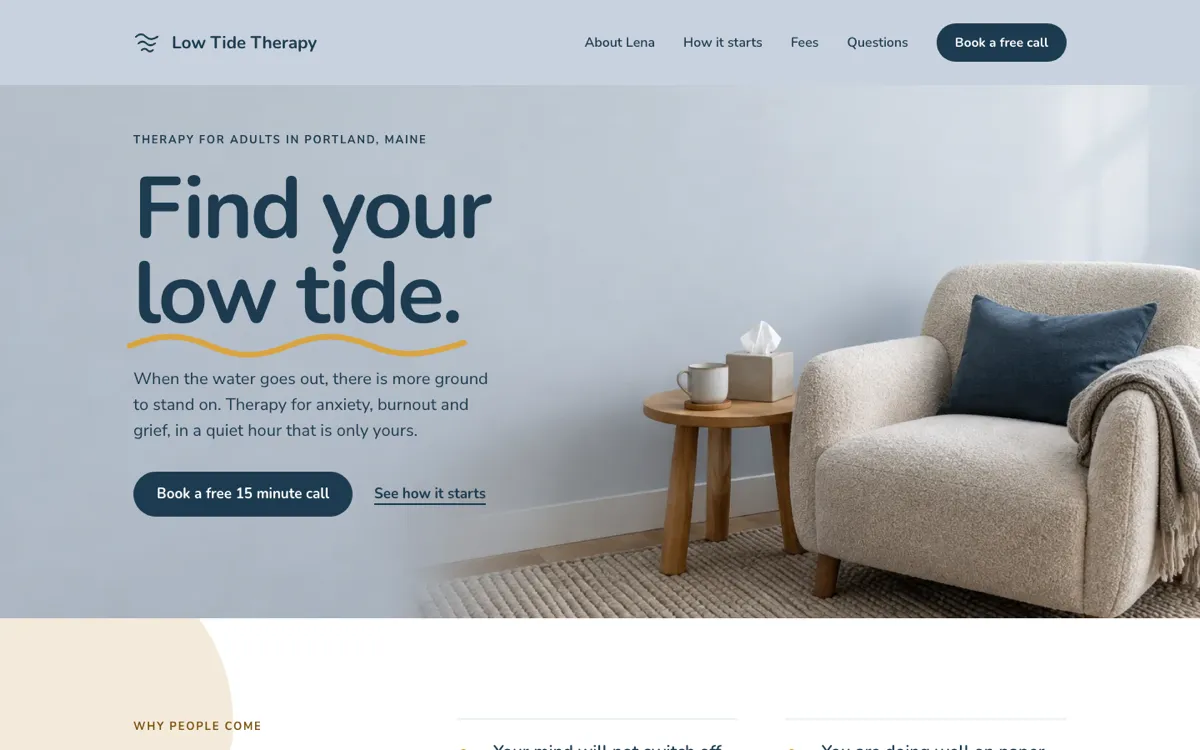
Try a few. The same name can look like a different business on each one, which is the quickest way to find the design that suits yours.
- Your name on it. Type your business name. It replaces the example’s own name on the website in the window, and in the address above it.
- Desktop and Phone. Switch the window between Desktop and Phone to see the same website at both sizes. On a phone you always see the phone size.
- The whole website. The window holds the real website, so you can scroll all of it, not only the first screen.
- More about this example. Each example has its own page. It says what the website gets right, lists its colors, type, sections and icons, and links to the example online at its own address.
Start from the one you like
When an example fits, choose Start from this one. The same field then asks for two more things, one at a time, and you never leave the page.
- Your business nameAs you want it shown on your website.
- Your website, or what you doA website address if you have one. A sentence about your business if you do not.
- Your emailWhere your new homepage is sent.
Free. No card.
The second answer decides how your homepage is written.
You have a website
- Enter its address, like saltandstone.example.com
- Mirin reads your public pages for your words and pictures
- You land on your free scorecard while your homepage is made
- Your current website stays live and unchanged
You do not have one yet
- Write a sentence or two about what you do
- Mirin writes your homepage from what you tell it
- You land on a page that says your website is on the way
- A fuller description makes a fuller homepage
Choose Send it over on the last step and the request is in. Mirin makes homepages this way for businesses located in the United States.
One quick check
Now and then a small box appears that says One quick check before we send this. Tick it and your request goes through. It keeps automated requests out, and most people never see it.
What Mirin makes from it
You get your own homepage in the example’s design. The look is kept exactly as you saw it. Everything about the example’s business is replaced with yours, or removed.
- The design
- The example’s layout, colors, type and decoration stay as you saw them.
- Your words
- The headline, the services and the questions are written for your business, from your website or from what you told us.
- Your pictures
- Pictures from your own website are used where they fit. The example’s photographs are never used. A place with no fitting picture is left as a plain block for you to fill.
- Nothing borrowed
- The example’s name, people, prices, reviews, address and phone number are all removed, along with any drawing that only suits its trade.
- Honest stand-ins
- Where the design shows a fact we were not given, the page says so in two words: Your phone, Your address, Your hours. Nothing is made up in its place.
- A working contact form
- The form on your homepage is real. Once your website is online, what visitors send arrives in Forms.
Open your new homepage
You do not need to wait on the page. Your homepage lands in your inbox, usually within hours, and it opens straight in the page builder.
Reformer pilates
Strength that starts slow.
Book an intro session- Open the email. Its subject is Your new homepage is ready. Choose Open your new homepage.
- Look it over. Your homepage opens in the page builder with guest access. There is nothing to install and no password to set.
- Replace the stand-ins. Tell Mirin your phone number, address and hours in plain words, or type them in yourself. See AI page edits.
- Keep it. Verify your email to move the homepage into your own account. The steps are in Open and keep your homepage.
- Put it online. Go online free at a Mirin address, or choose a plan to use your own domain. See Put your website online free.
Common questions
Short answers to what people ask before and after they start.
- Is starting from an example free?
- Yes. Requesting a homepage costs nothing and no card is asked for. Putting it online at a Mirin address is free as well, on the Free plan.
- Are the example businesses real?
- No. Every example was made by Mirin for an invented business, so you can judge the design on its own.
- Will my homepage use the example’s photographs or words?
- No. The design is kept and everything about the example’s business is removed. Your homepage uses your own words, and your own pictures where they fit.
- Does anything change on my current website?
- No. Mirin reads your public pages the way a visitor does. Your current website stays live and unchanged.
- What if I do not have a website yet?
- Write a sentence or two about your business where the form asks for a website address. Mirin writes your homepage from that. The more you say about what you offer and where, the fuller the page.
- What if I asked from the Mirin homepage and never picked an example?
- With no website and no example chosen, Mirin picks the example made for your kind of business from what you wrote. If your description names your business, that name is used. If it does not, the page says Your business name until you replace it. You can ask for any change afterwards.
- Why does my homepage say Your phone or Your hours?
- Those lines stand in for facts we were not given, so that nothing on your page is made up. Replace each one with the real detail before you put the website online.
- Can I change the design after it is made?
- Yes. In the page builder you can ask for any change in plain words, or edit each section by hand.
- How long does it take?
- It lands in your inbox, usually within hours. We email you when it is ready, so you do not need to keep the page open.
- Who can start from an example?
- Businesses located in the United States.