Tired of paying a designer for simple Webflow edits?
Paste your address. We rebuild your homepage free from your live Webflow site, usually within hours, so you can ask for updates in plain words without touching CSS classes.
Current site stays live
Keep your domain
No contract
How they compare
Mirin and Webflow, side by side.
Both put a small business online. The difference is whether you spend weekends wrestling templates or ask for changes in plain words.
How Mirin and Webflow compare for a small business website
Mirin
Webflow
See it before you pay
MirinYes, rebuilt free.We rebuild your homepage free from your current site and email it, usually within hours, so you see the work before paying.
Webflow2-page Starter sandbox.Webflow’s free Starter tier lets you build up to two static pages on a webflow.io subdomain, including Webflow AI section tools, rather than rebuilding your live site for you.
Day to day edits
MirinAsk, review, publish.Edit right on the page for free or ask in plain words, review the private draft, and press Publish without wrestling drag and drop boxes.
WebflowVisual CSS designer.Layouts are controlled through visual CSS properties, classes and breakpoints inside Webflow Designer, built for teams comfortable working like front-end developers.
How it is built
MirinBuilt from your site.Instead of starting from a blank template, Mirin rebuilds your homepage from what is already live and opens it in your workspace.
WebflowBuild from scratch or buy a template.Built for designers and agencies who want pixel-level control over every container, animation and breakpoint.
Solo owners and teams
MirinSolo or team plans.Pro fits one business with 3 seats, while Business adds staff pages, multiple locations and 5 seats.
WebflowSeparate Site and Workspace plans.Every account includes a free Workspace, while Webflow separates per-site hosting (Site Plans) from paid team seats, staging and code export (Workspace Plans).
Booking, forms and tools
MirinWorks with your tools.Link booking, checkout or forms to Calendly, Square, Acuity, Mindbody, Stripe or your own tool, alongside Mirin contact forms and chat.
WebflowEmbeds and paid add-ons.Booking widgets connect via third-party embeds, while features such as Webflow Analyze, Optimize and Localization are billed as separate add-ons.
Terms and ownership
MirinMonth to month.No contract and no setup fee, your domain stays in your own name, and you can cancel anytime.
WebflowAuto-renew; gated export.Paid plans auto-renew with no partial-term refunds under Webflow’s Terms of Service; Code export requires a paid Workspace plan and excludes CMS content.
Included day to day
MirinRun from one place.Contact forms with lead alerts, website chat, visitor insights and edge hosting on your own domain, managed from web or mobile.
WebflowHosting plus visual IDE.Includes global hosting, visual CSS controls and Webflow AI tools, while analytics and optimization are paid add-ons and website chat requires a third-party embed.
Webflow is an outstanding visual development tool for web designers, agencies and in-house marketing teams who want total control over CSS and animations. Mirin is built for business owners who do not want to learn flexbox or keep paying an agency retainer just to change hours, swap photos or add a new service page.
What this page says about Webflow comes from Webflow’s own website (its pricing page and Terms of Service), read on November 26, 2026. Plans and terms change, so confirm theirs before you decide. Webflow is a trademark of its owner, and Mirin is not affiliated with it.
No drag and drop wrestling
Ask for the change. Live in seconds.
Write the update the way you would text a coworker, or click right on the page. Every change lands in a private draft first, and Publish puts it live without breaking your mobile layout.
Private draft until you publish
Every update stays in a draft only you can see. Check it on desktop and phone, then press Publish when it looks right.
Undo is always free
Try a new seasonal offer or move your booking button. If you prefer the earlier version, put it back anytime at no cost.
Clear costs, no surprises
Edits on the page are free. Edits by asking use the AI credits your plan includes, and Mirin shows the cost before anything runs.
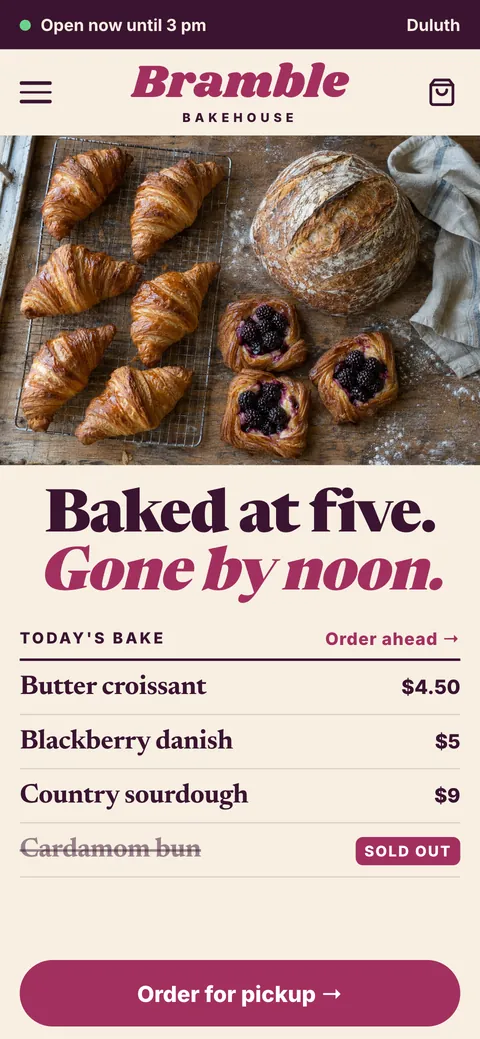
Mirin’s workspace for Bramble Bakehouse. The owner asks for three changes in plain words, and each one appears in the draft.
Bramble BakehouseDraftPublish
Add our Saturday morning pastry box right at the top of the menu.
Done. It is in your draft.
Morning menuSaturday morning pastry box, preorder by FridayNew
UndoView on page
Update our weekday hours to 7 AM to 4 PM on the homepage and footer.
Done. It is in your draft.
Monday through Friday8 AM to 3 PM7 AM to 4 PMMenuOpen 7 AM to 4 PMUpdatedContact
UndoView on page
Move the catering request button right under the main headline.
Done. It is in your draft.
Baked fresh every morning in Portland.Request catering for your eventMoved
UndoView on page
Ask for a change
Solo or multi location
One storefront or a growing team. Built for how you work.
Whether you run the shop yourself or manage several locations and staff, your site stays simple to update from your desk or phone.
Pro$99 a monthOne person, one location. Month to month.
One location
Your services, hours and next step clear on the first screen
Booking, quote and order links wired straight to the tools you already use
Quick edits in plain words or right on the page without fighting blocks
Contact forms with lead alerts, website chat and visitor insights
Brightwire ElectricPanel upgrades, EV chargers and residential repairsServing Greater Portland, licensed and insuredSame week estimates. Emergency calls answered Monday through Saturday.Request an estimateSends straight to your inbox
Business$199 a monthTwo or more people, or more than one location. Month to month.
Multi location or team
Team and staff profile pages with individual roles or services
Multiple locations, each with its own address, hours and contact details
Fast seasonal updates published across every page in seconds
Separate logins for managers and staff, with 5 seats
Locations and hoursUpdated live from web or mobile
North End BakeryDaily pastries, coffee bar and pickup counterOpen 7 AM to 4 PM
Harbor Market StallSourdough loaves and seasonal fruit galettesSat and Sun
Catering KitchenOffice breakfasts, weddings and private eventsBooking ahead
Plain answers
Five worries owners raise before leaving Webflow.
The real reasons business owners put off leaving their current website platform, answered plainly without sales talk.
01
If I leave Webflow, can I really edit my own site without breaking mobile layouts?
Yes. You never touch CSS classes, combo classes or breakpoint panels. Click right on the page to edit words or photos for free, or type what you want changed in plain words.
Every change opens in a private draft first, undo is always free, and Publish puts it live across desktop and mobile in seconds.
Plain wordsUpdate Saturday hours to 9 AM to 3 PMDraft ready
yourbusiness.comPublished in secondsDesktop and phone stay aligned. Free undo anytime.
No drag and drop boxes to realign on mobile.
02
Will my site go down when moving off Webflow? What if an agency built it?
Your Webflow site stays online the entire time you review your rebuilt Mirin homepage. As long as you control your domain at your registrar (such as GoDaddy, Namecheap or Cloudflare), you update only your website domain settings once your Mirin draft is ready, and Mirin checks every five minutes until it is live.
If an agency or freelancer still holds your domain login or Webflow workspace, move your domain into your own registrar account first. Because Mirin rebuilds straight from your live public site, you do not need access to their Webflow workspace to start.
Domain settings for yourbusiness.com
WebsiteWebflowMirin
One change. Mirin checks it every five minutes until it is ready.
03
Will moving off Webflow hurt my Google rankings or SEO structure?
No, as long as your domain, winning page URLs and redirects stay intact. Mirin keeps your key page addresses, gives every page its own clean search title and meta description, and sets permanent 301 redirects for any moved address.
yourbusiness.com/servicesLocal services in PortlandThe same address, title and description as before.
Google Business Profile still opens yourbusiness.com
Moved pages send visitors to their new address
04
Will leaving Webflow affect my business email?
No. If your business inbox runs on Google Workspace or Microsoft 365, updating only your website domain settings leaves your email records completely untouched.
yourbusiness.com
WebsiteMoves to Mirin
EmailGoogle Workspace or Microsoft 365Untouched
05
Do I need to pay for a Webflow Workspace plan to export my code first?
No. You do not need to pay for Webflow’s code export tier or hand raw HTML to another developer. Paste your live Webflow address and Mirin rebuilds your homepage free from what is already online, usually within hours.
yourbusiness.comSee the redesign
About a minute
MirinYour new homepage is readyUsually within hours
How switching works
Switch at your own pace. Your site stays live.
Your Webflow website stays online through every step until your Mirin site is live on your own domain.
yourbusiness.com
Brightwire Electric
Welcome to Brightwire Electric
Contact Us
Address copied
1Webflow site live
Paste your website address
Free, and about a minute. Your Webflow site is untouched.
Inbox
Search mail
Mirinnow
Your new homepage is ready
We designed it for Brightwire Electric. Open it now and ask for any change in plain words.
SupplierTue
Order confirmation
Your Thursday delivery is scheduled.
BookkeeperMon
Monthly summary ready
Statements for last month are uploaded.
Property officeFri
Parking lot striping
South stalls reopen Monday morning.
Customer noteTue
Saturday availability
Checking whether you have morning openings.
2Still live
Review your new homepage
It arrives by email, usually within hours, and opens in your private draft. Ask for any change in plain words.
Brightwire ElectricDraft
Update Saturday hours to 9 AM to 3 PM and put the quote button at the top.
Done. Saturday hours are updated and the quote button sits under your headline. It is in your draft.
Ask for a change
3Still live
Connect your tools
Point your buttons at Calendly, Square, Stripe or your own scheduler, and turn on Mirin forms and chat.
yourbusiness.com
4Mirin site live
Point your domain, then cancel
Update your domain settings. Mirin checks every five minutes until it is ready, and only then do you cancel Webflow.
What Mirin costs
No setup fee. No contract. Pay only when you switch.
Your website redesign is free. Put it online free, or choose a plan for your own domain.
Price
Who it is for
Address
Includes
Free
To see it and keep it online
Price
$0
Who it is for
A real website, online today.
Address
yourbusiness.mymirin.com
Includes
One website at a Mirin address
Up to 3 pages, shared by link
Made with Mirin on every page
Pro
One business on its own domain
Price
$99 a month
Who it is for
One person, one location. Month to month.
Address
yourbusiness.com
Includes
Unlimited pages
Your own domain
50 monthly AI credits
Visual editor, no code
Business
A team or multi location business
Price
$199 a month
Who it is for
Two or more people, or more than one location. Month to month.
Address
yourteam.com
Includes
Everything in Pro, plus
Staff profile pages
Multiple locations
200 monthly AI credits
5 seats
Start with a free rebuilt homepage. Paid plans are month to month, cancel anytime, and your domain always stays in your name.
Have another question about switching or your domain setup? Open the chat and ask us directly.
How do Webflow’s Site Plans and Workspace Plans compare to Mirin?
Every Webflow account includes a free Starter Workspace, while connecting a custom domain or CMS requires a paid Site Plan and adding team seats, staging or code export requires a paid Workspace Plan. Mirin puts hosting, custom domain and team seats (3 seats on Pro, 5 seats on Business) into one flat monthly plan.
What if a freelancer or agency built my Webflow site?
You do not need the original agency’s Webflow workspace to switch. Confirm your domain is registered in your own registrar account, paste your live website address into Mirin, and we rebuild your homepage free from what is already online.
Can I keep my domain at GoDaddy, Cloudflare or Namecheap?
Yes. Keep your domain right where it is registered today and update only the DNS records pointing to your website once your Mirin draft is ready.
Can my team edit text and photos without breaking the design?
Yes. Every edit happens in a private draft first with free undo, so staff can update hours, seasonal offers or team bios without touching CSS classes or breakpoints.
How long does switching from Webflow to Mirin take?
Your rebuilt homepage arrives by email, usually within hours. Review and refine it at your own pace while Webflow stays live, then update your domain settings and cancel your Webflow plan once live.
Your turn
Keep Webflow live. Decide after you see it.
Paste your website address. We rebuild your homepage free from your live Webflow site and email it, usually within hours.