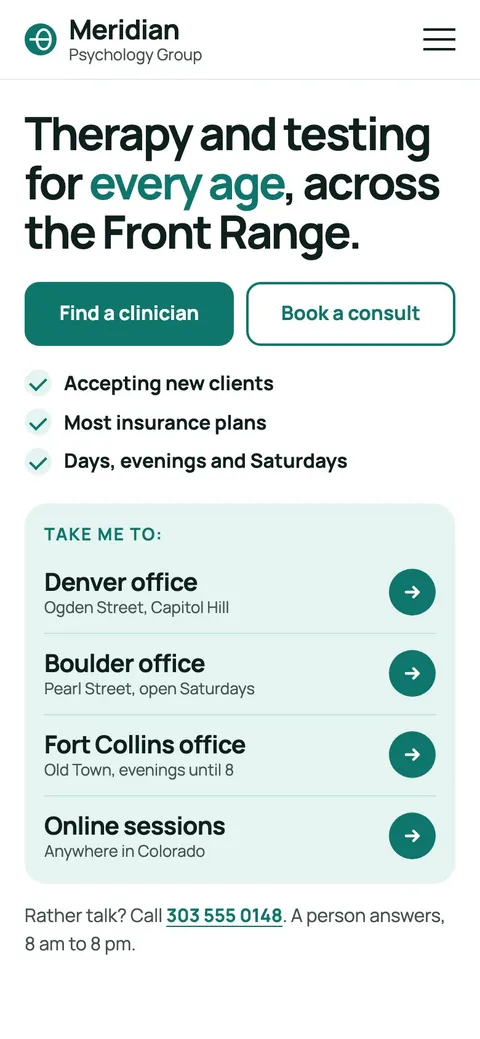
Keep Jane App for charting, intake and online booking. We build your full public practice homepage free, wired straight to your Jane booking link while nothing in your clinic stops.
Current site stays live
Keep your domain
No contract
How they compare
Mirin and Jane App, side by side.
Both get a therapy practice online. The difference is when you see the work, how fast edits go live and what you own.
How Mirin and Jane App compare for a private practice website
Mirin
Jane App
See it before you pay
MirinYes, rebuilt free.We rebuild your homepage free from your current site and email it, usually within hours, so you can edit it before paying.
Jane AppFree draft inside Jane.Jane Websites lets Jane clinics inspect an AI-generated website pulled from their Jane account details before launching on a paid per-clinic website add-on.
Changes between sessions
MirinAsk, review, publish.Edit right on the page for free or ask in plain words, review the private draft, and press Publish to go live in seconds.
Jane AppBlock editor + daily Jane sync.Jane Websites syncs practitioners and services from your Jane account daily and uses a block-style editor to customize text, colors and layouts.
How it is designed
MirinBuilt from your site.Your homepage starts from your existing practice site and opens in your own workspace, ready to refine before anyone else sees it.
Jane AppClinic layouts synced to Jane.Jane Websites builds modern clinic layouts directly from your Jane services and staff directory; dedicated SEO optimization is offered as an additional Jane SEO add-on.
Solo and group practices
MirinSolo or group plans.Pro fits a solo practice with 3 seats, while Business adds staff profile pages, multiple locations and 5 seats.
Jane AppPer-practitioner EHR licensing.Jane charges per bookable practitioner license (full-time or part-time) with free admin staff profiles; Jane Websites is billed per clinic on top of your Jane plan.
Booking, intake and portals
MirinOpens your EHR directly.Booking, intake and portal buttons open SimplePractice, TherapyNotes, Jane, IntakeQ, Headway or Alma, so client health information stays in your EHR.
Jane AppFull EHR and online booking.Jane handles scheduling, online booking, charting, intake forms, telehealth, billing and the Patient App. Keep Jane for care and pair Mirin in front for discovery.
Terms and ownership
MirinMonth to month.No contract and no setup fee, your domain stays in your own name, and you can cancel anytime.
Jane AppTiered plans plus add-ons.Jane plans scale by tier (Balance, Practice, Thrive) and practitioner licenses, with Jane Websites and Jane SEO available as separate add-ons.
Included day to day
MirinRun from one place.Contact forms with lead alerts, website chat, visitor insights and secure hosting on your own domain.
Jane AppPractice operations first.Built first as a clinical EHR and online booking platform for clinics, with Jane Websites and Jane SEO offered as optional add-on layers.
Jane App is one of the strongest EHR and online booking platforms for therapy and wellness clinics, and Jane Websites is a handy add-on if you want a quick site synced straight to your Jane staff list. Mirin is for practices that want a bespoke editorial homepage, deeper specialty and location pages, website chat, lead capture and plain-word edits while keeping Jane App untouched for every clinical workflow.
What this page says about Jane App comes from Jane App’s own website (its pricing and Jane Websites feature pages), read on November 27, 2026. Plans and terms change, so confirm theirs before you decide. Jane App is a trademark of its owner, and Mirin is not affiliated with it.
No support tickets
Edit between sessions. Live before your next client.
Write the update the way you would message your office manager, or click right on the page. Every change lands in a private draft first, and Publish puts it live in seconds.
Private draft until you publish
Every update stays in a draft only you can see. Look it over on your own time, then press Publish when it reads right.
Undo is always free
Try a new headline or move your insurance note. If you prefer the earlier version, put it back anytime at no cost.
Clear costs, no surprises
Edits on the page are free. Edits by asking use the AI credits your plan includes, and Mirin shows the cost before anything runs.
Mirin’s workspace for Lantern Hill Counseling. The owner asks for three changes in plain words, and each one appears in the draft.
Lantern Hill CounselingDraftPublish
Add that Maya Patel, LMFT is now accepting evening telehealth clients.
Done. It is in your draft.
Maya Patel, LMFTCouples, anxiety and life transitionsAccepting evening telehealth clientsNew
UndoView on page
Move our Aetna and Blue Cross note right under the main headline.
Done. It is in your draft.
Steady care for real life.In network with Aetna and Blue Cross Blue ShieldMoved
UndoView on page
Update individual sessions to $165 and add our Good Faith Estimate link in the footer.
One clinician or a growing group. Built for how you practice.
Whether clients are choosing you or matching with a clinician on your team, your homepage is organized around that from the first draft.
Pro$99 a monthOne person, one location. Month to month.
Solo practice
Your specialties, fees and insurance presented clearly for new clients
Booking, intake and portal buttons linked straight to your EHR
Updates between sessions in plain words or right on the page
Contact forms with lead alerts, website chat and visitor insights
Owen Marsh, LPCAnxiety and depression therapy for adultsPortland, and on video across OregonOut of network, with superbills. Two sliding scale spots open.Book a free 15 minute callOpens Jane App
Business$199 a monthTwo or more people, or more than one location. Month to month.
Group practice
Staff profile pages for every clinician in your practice
Openings and waitlist updates published live in seconds
Multiple office locations, each with its own details
Separate logins for managers and staff, with 5 seats
Find your clinicianTwo offices and telehealth
Maya Patel, LMFTCouples, anxiety, life transitionsEvening telehealth
Marcus Hale, LPCMen’s health, depression, burnoutAccepting new clients
Five questions therapists ask about pairing with Jane App.
You keep Jane App for clinical work and only upgrade your public website. Here are the real questions practices ask first.
01
Do we keep Jane App for charting, intake forms and telehealth?
Yes. You do not leave Jane App at all. Your Jane account continues handling scheduling, online booking, charting, intake forms, telehealth and payments.
Mirin runs only your public website: who you help, your clinicians, your fees and your specialties. Every Book Online button opens your Jane booking page directly so clinical data stays in Jane.
yourpractice.comWho you help, fees, your teamBook a session
Your EHRJane AppIntake, records and client portal
Client health information stays in your EHR.
02
Will pointing our domain to Mirin break our Jane online booking link?
No. Your Jane clinic booking URL stays live on Jane’s own domain and works seamlessly from every button on your Mirin website.
You review your Mirin draft privately while your current website stays online, then update your custom domain DNS records only when you are ready.
Domain settings for yourpractice.com
WebsiteCurrent websiteMirin
Your Jane App EHR stays active. Mirin checks your domain every five minutes until it is ready.
03
Why build a custom Mirin site alongside Jane App?
A dedicated public website lets you build deep pages for every specialty, modality, clinician and neighborhood you serve, with full control over search titles, meta descriptions and structured copy.
Mirin preserves your existing URL paths and sets permanent 301 redirects for any moved page so your Google Search and Psychology Today referrals land cleanly.
yourpractice.com/anxiety-therapyAnxiety therapy in PortlandThe same address, title and description as before.
Psychology Today profile still opens yourpractice.com
Moved pages send visitors to their new address
04
Will upgrading our public site disturb our practice email?
No. Updating only your website domain settings leaves Google Workspace, Microsoft 365 or your HIPAA mail provider completely untouched.
yourpractice.com
WebsiteMoves to Mirin
EmailGoogle Workspace or Microsoft 365Untouched
05
How fast can we see a Mirin site wired to our Jane booking page?
Paste your current website address (or describe your practice) and Mirin builds a tailored homepage draft free, usually within hours, ready to link straight to your Jane booking URL.
yourpractice.comSee the redesign
About a minute
MirinYour new homepage is readyUsually within hours
How upgrading works
Keep your EHR. Upgrade your website.
Your current website stays live while you review your Mirin draft, and your Jane App EHR, calendar and billing never change.
yourpractice.com
Low Tide Therapy
Welcome to Low Tide Therapy
Contact Us
Address copied
1Current site live
Paste your website address
Free, and about a minute. Your current website and Jane App EHR stay untouched.
Inbox
Search mail
Mirinnow
Your new homepage is ready
We designed it for Low Tide Therapy. Open it now and ask for any change in plain words.
BillingTue
Your statement is ready
This month’s statement is attached.
Peer consult groupMon
Notes from our last meeting
Thank you to everyone who came.
Building officeFri
Elevator service next week
The east elevator will be closed.
Front deskTue
New client paperwork
Two intake forms are waiting for you.
2Still live
Review your new homepage
It arrives by email, usually within hours, and opens in your private draft. Add specialty pages or ask for any change in plain words.
Low Tide TherapyDraft
Point every Book button at our Jane App page.
Done. Every booking button opens Jane App. It is in your draft.
Ask for a change
3Still live
Link your booking
Point every online booking and client portal button straight into your Jane App account.
yourpractice.com
4Mirin site live
Point your domain, keep your EHR
Update your domain settings so your Mirin site opens at your address. Mirin checks every five minutes until it is ready, while Jane App stays active for scheduling and billing.
What Mirin costs
No setup fee. No contract. Pay only when you switch.
Your website redesign is free. Put it online free, or choose a plan for your own domain.
Price
Who it is for
Address
Includes
Free
To see it and keep it online
Price
$0
Who it is for
A real website, online today.
Address
yourpractice.mymirin.com
Includes
One website at a Mirin address
Up to 3 pages, shared by link
Made with Mirin on every page
Pro
A solo practice on its own domain
Price
$99 a month
Who it is for
One person, one location. Month to month.
Address
yourpractice.com
Includes
Unlimited pages
Your own domain
50 monthly AI credits
Visual editor, no code
Business
A group practice on its own domain
Price
$199 a month
Who it is for
Two or more people, or more than one location. Month to month.
Address
yourgroup.com
Includes
Everything in Pro, plus
Staff profile pages
Multiple locations
200 monthly AI credits
5 seats
Start with a free rebuilt homepage. Paid plans are month to month, cancel anytime, and your domain always stays in your name.
Have another question about moving your website while keeping Jane App for EHR? Open the chat and ask us directly.
Does Mirin replace Jane App for scheduling, charting or billing?
No. Keep Jane App for online booking, charting, intake forms, telehealth and payments. Mirin runs your public marketing website and links every booking button directly into your Jane schedule.
Do I need the Jane Websites add-on if I host my website on Mirin?
No. Once your custom domain points to Mirin, Mirin hosts your entire public website and links straight to your Jane online booking URL, so you do not need to pay for a separate website add-on.
Can Mirin include dedicated pages for each specialty and clinician?
Yes. Paid Mirin plans (Pro at $99 and Business at $199) include unlimited pages for specialties, group practice clinicians, fees, FAQs and locations, all editable in plain words.
Can our front desk or practice manager update clinician openings without calling a developer?
Yes. Click on the page or type the update in plain words, review the private draft on desktop and phone, and press Publish in seconds. Pro includes 3 seats and Business includes 5 seats.
What happens to our existing site while we try Mirin?
Nothing changes while you look over your draft. Your current website and Jane booking portal stay live until you choose to point your custom domain to Mirin.
Your turn
Keep Jane for clinical care. Upgrade your front door.
Paste your practice address. We rebuild your public homepage free, usually within hours, linked straight to Jane online booking.