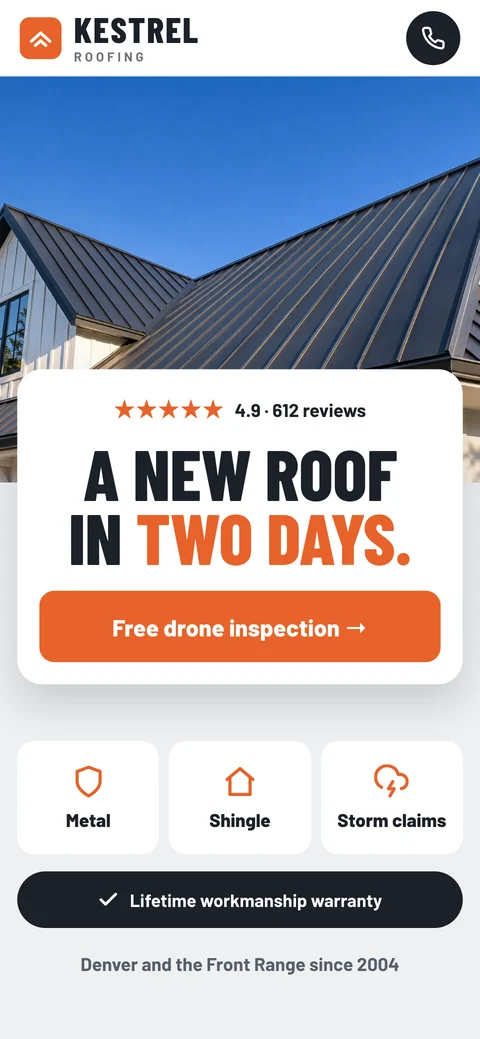
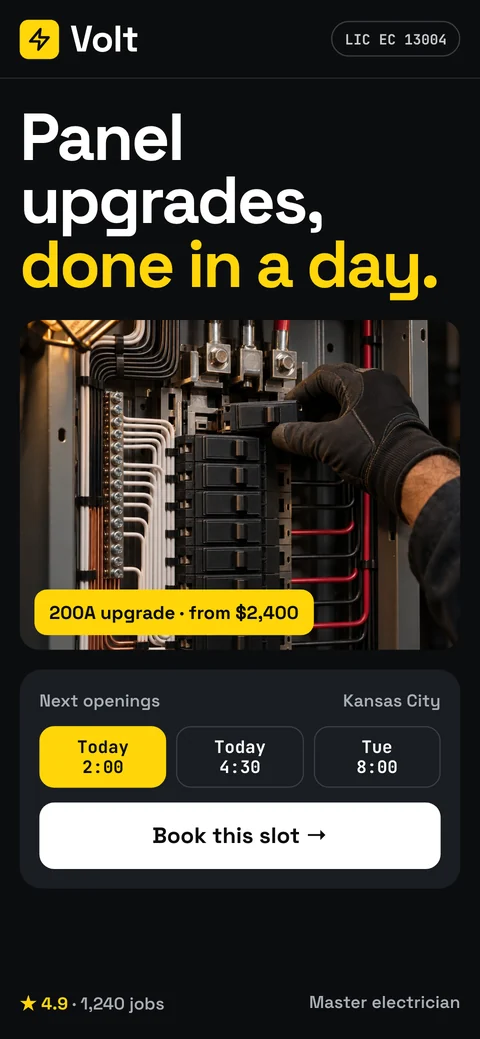
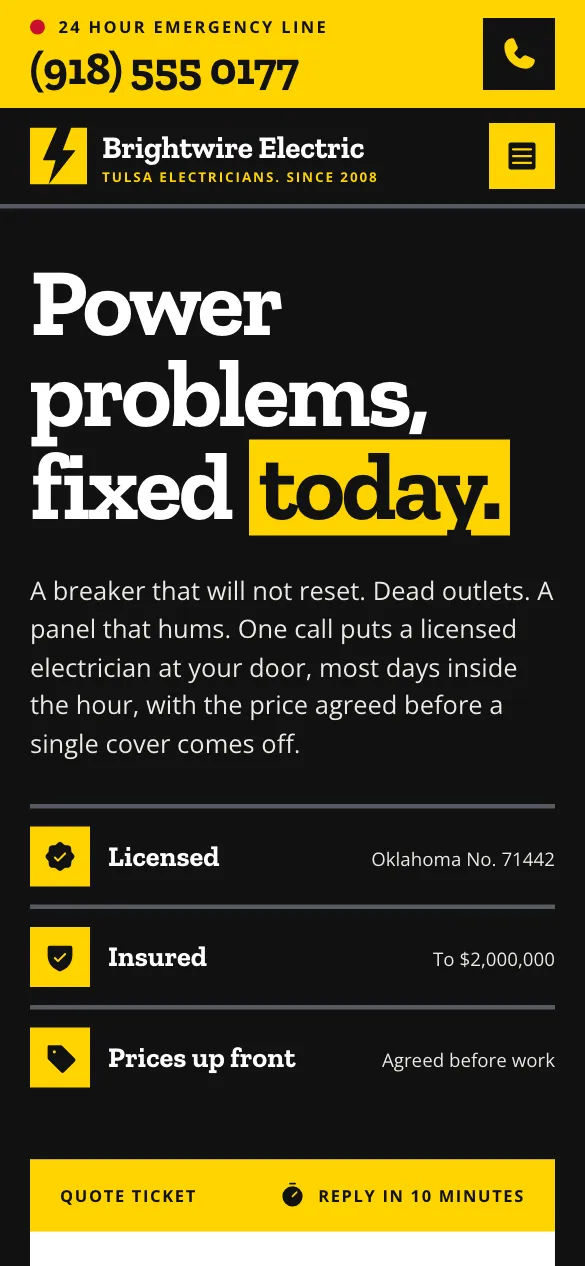
Run your crew on Jobber. Give your brand a sharper site.
Keep Jobber for quotes, dispatch and invoicing. We build your custom contractor homepage free, wired straight to your Jobber request form and booking link while your operations stay untouched.
Current site stays live
Keep your domain
No contract
How they compare
Mirin and Jobber, side by side.
Keep Jobber for quotes, dispatch and invoicing. The difference is putting a fast, custom multi-page brand website in front of homeowners.
How Mirin and Jobber compare for a home services website
Mirin
Jobber
See it before you pay
MirinYes, rebuilt free.We rebuild your contractor homepage free from your current site and email it, usually within hours, with zero sales demo required.
Jobber14-day Grow trial.Jobber offers a 14-day free trial on its Grow plan; Jobber’s help documentation notes a website can be generated during the trial, but cannot be published until you select a paid plan.
Edits from the field
MirinUpdate from your phone.Swap seasonal offers, service towns or emergency hours in plain words from the truck, review the private draft and publish in seconds.
JobberBuilt-in trade site editor.Jobber Website lets you personalize trade copy, work photos, brand colors and reviews inside Jobber’s built-in editor.
How it is built
MirinBuilt for mobile callers.Puts your trade, license, service towns, tap-to-call phone number and short estimate request right on the first screen.
JobberQuick Jobber Website layout.Built to launch a starter home-services site fast inside Jobber; Mirin designs a bespoke multi-page brand site tailored to your trade, service towns and job photos.
Solo crew or multi-truck team
MirinSolo crew or multi-truck.Pro fits one business with 3 seats, while Business adds staff and crew profiles, multiple locations and 5 seats.
JobberPer-user field-service plans.Jobber plans scale by user count across Core (1 user), Connect, Grow and Plus, with extra field or office seats added per user.
Dispatch, quotes and calls
MirinLinks your dispatch tools.Estimate and booking buttons open ServiceTitan, Jobber or Housecall Pro directly, paired with Mirin forms and lead alerts.
JobberQuotes, scheduling and Client Hub.Jobber excels at work requests, quotes, scheduling, dispatch, invoicing, Client Hub and Jobber Payments. Keep Jobber running your jobs and point Mirin buttons straight to it.
Terms and ownership
MirinMonth to month, no lock-in.No 12 month contract, no setup fee, your domain stays in your own name, and you can leave or cancel anytime.
JobberNo-commitment or annual options.Jobber publishes monthly (no commitment), 1-year commitment and prepaid annual billing options across Core, Connect, Grow and Plus.
Included day to day
MirinFast local search site.Clean service and town pages, fast job-site mobile speed, lead forms, website chat and hosting on your own domain.
JobberField-service ops first.Built primarily as a job management, quoting and invoicing hub, with Jobber Website and Marketing Tools layered on top.
Jobber is outstanding software for running a home-services business (quotes, scheduling, dispatch, Client Hub and invoicing) and Jobber Website is a fast starter option if you have no site at all. Mirin is built for trades companies ready for a standout, custom-designed website with dedicated service and town pages, fast mobile loading and phone-fast plain-word edits while keeping Jobber running the entire back office.
What this page says about Jobber comes from Jobber’s own website (its pricing, Jobber Website and Marketing Tools pages), read on November 27, 2026. Plans and terms change, so confirm theirs before you decide. Jobber is a trademark of its owner, and Mirin is not affiliated with it.
Phone-fast edits
Ask for the change. Live in seconds.
Write the update in plain words from your phone between jobs, or click right on the page. Every change lands in a private draft first, and Publish puts it live without breaking mobile layout.
Private draft until you publish
Every update stays in a draft only you can see. Check it on desktop and phone, then press Publish when it looks right.
Undo is always free
Try a new seasonal offer or move your booking button. If you prefer the earlier version, put it back anytime at no cost.
Clear costs, no surprises
Edits on the page are free. Edits by asking use the AI credits your plan includes, and Mirin shows the cost before anything runs.
Mirin’s workspace for Brightwire Electric. The owner asks for three changes in plain words, and each one appears in the draft.
Brightwire ElectricDraftPublish
Add an EV charger installation special right at the top of the page.
Add Broken Arrow and Jenks to our service areas list.
Done. It is in your draft.
Service areasTulsa, Broken Arrow & JenksLicensedService towns updatedUpdatedCall
UndoView on page
Put our 24-hour emergency phone button directly under the headline.
Done. It is in your draft.
Power problems, fixed today.24-hour emergency call buttonMoved
UndoView on page
Ask for a change
Solo or multi location
One crew or a multi-truck fleet. Built for how you dispatch.
Whether you run the calls yourself or dispatch crews across several counties, homeowners see your trade, license and phone number right away.
Pro$99 a monthOne person, one location. Month to month.
One service crew
Your trade, license, service towns and phone number clear on screen one
Estimate and booking links wired straight to ServiceTitan, Jobber or Housecall Pro
Update seasonal specials or emergency hours from your phone in seconds
Contact forms with instant lead alerts, website chat and visitor insights
Brightwire ElectricPanel upgrades, EV chargers and residential repairsServing Greater Portland, licensed and insuredSame week estimates. Emergency calls answered Monday through Saturday.Request an estimateOpens ServiceTitan or inbox
Business$199 a monthTwo or more people, or more than one location. Month to month.
Multi-truck or regional team
Team and staff profile pages with individual roles or services
Multiple locations, each with its own address, hours and contact details
Fast seasonal updates published across every page in seconds
Separate logins for managers and staff, with 5 seats
Crews and dispatchUpdated live from web or mobile
North Metro CrewPanel upgrades, EV chargers and rewiringSame-week quotes
Eastside DispatchBreaker trips, generators and urgent calls24/7 emergency
Commercial ElectricalTenant build-outs, lighting and maintenanceBooking ahead
Plain answers
Five questions contractors ask about pairing with Jobber.
Keep Jobber for quoting, scheduling and invoicing and upgrade the public website homeowners see first.
01
Do I keep Jobber for quoting, scheduling and invoicing?
Yes. You do not leave Jobber at all. Jobber keeps running your quotes, calendar, dispatch, Client Hub and invoices.
Mirin becomes your front-door website, putting your phone number, license, service towns and recent job photos up top, and sending every Request Estimate and Book Online click straight into your Jobber intake form.
Plain wordsUpdate Saturday hours to 9 AM to 3 PMDraft ready
yourbusiness.comPublished in secondsDesktop and phone stay aligned. Free undo anytime.
Update hours, offers and service towns straight from your phone.
02
Will pointing my domain to Mirin break my Jobber Client Hub or request links?
No. Your Jobber Client Hub, online booking page and work request forms keep working on Jobber’s own links without interruption.
Your current website stays online while you review your Mirin draft, and nothing switches until you update your domain’s website DNS records.
Domain settings for yourbusiness.com
WebsiteCurrent websiteMirin
Your Jobber account stays active. Mirin checks your domain every five minutes until it is ready.
03
Why put a custom Mirin site in front of Jobber?
Homeowners comparing plumbers, electricians, roofers and HVAC pros search by specific service and town. A custom multi-page website with dedicated service pages, town pages, job photos and clean search titles wins more local clicks than a starter template.
Mirin preserves your winning page addresses and sets permanent 301 redirects for any moved URL so your Google Maps and local rankings carry forward.
yourbusiness.com/servicesLocal services in PortlandThe same address, title and description as before.
Google Business Profile still opens yourbusiness.com
Moved pages send visitors to their new address
04
Will switching my website interrupt company email?
No. If your business email runs on Google Workspace or Microsoft 365, changing only your website domain settings leaves your mail records untouched so zero dispatch or estimate emails are missed.
yourbusiness.com
WebsiteMoves to Mirin
EmailGoogle Workspace or Microsoft 365Untouched
05
How fast can I see a rebuilt contractor homepage connected to Jobber?
Paste your current website address (or describe your trade and service area) and Mirin builds a tailored homepage draft free, usually within hours. Update seasonal offers or emergency hours from your phone in seconds.
yourbusiness.comSee the redesign
About a minute
MirinYour new homepage is readyUsually within hours
How upgrading works
Keep Jobber. Upgrade your website.
Your current website stays live while you review your Mirin draft, and your Jobber quotes, calendar and invoicing never change.
yourbusiness.com
Brightwire Electric
Welcome to Brightwire Electric
Contact Us
Address copied
1Current site live
Paste your website address
Free, and about a minute. Your current website and Jobber account stay untouched.
Inbox
Search mail
Mirinnow
Your new homepage is ready
We designed it for Brightwire Electric. Open it now and ask for any change in plain words.
SupplierTue
Order confirmation
Your Thursday delivery is scheduled.
BookkeeperMon
Monthly summary ready
Statements for last month are uploaded.
Property officeFri
Parking lot striping
South stalls reopen Monday morning.
Customer noteTue
Saturday availability
Checking whether you have morning openings.
2Still live
Review your rebuilt homepage
It arrives by email, usually within hours, and opens in your private draft. Ask for any change in plain words.
Brightwire ElectricDraft
Put our 24-hour emergency call button under the headline and add Broken Arrow.
Done. Emergency call button is under your headline and Broken Arrow is listed. It is in your draft.
Ask for a change
3Still live
Wire your quote and booking links
Point every Request Estimate and Book Online button straight into your Jobber request form and online booking link.
yourbusiness.com
4Mirin site live
Point your domain, keep Jobber
Update your domain settings so your Mirin site opens at your address while Jobber stays active for quotes, dispatch and invoicing.
What Mirin costs
No setup fee. No contract. Pay only when you switch.
Your website redesign is free. Put it online free, or choose a plan for your own domain.
Price
Who it is for
Address
Includes
Free
To see it and keep it online
Price
$0
Who it is for
A real website, online today.
Address
yourbusiness.mymirin.com
Includes
One website at a Mirin address
Up to 3 pages, shared by link
Made with Mirin on every page
Pro
One business on its own domain
Price
$99 a month
Who it is for
One person, one location. Month to month.
Address
yourbusiness.com
Includes
Unlimited pages
Your own domain
50 monthly AI credits
Visual editor, no code
Business
A team or multi location business
Price
$199 a month
Who it is for
Two or more people, or more than one location. Month to month.
Address
yourteam.com
Includes
Everything in Pro, plus
Staff profile pages
Multiple locations
200 monthly AI credits
5 seats
Start with a free rebuilt homepage. Paid plans are month to month, cancel anytime, and your domain always stays in your name.
Have another question about upgrading your contractor website while keeping Jobber for jobs and invoicing? Open the chat and ask us directly.
Does Mirin replace Jobber for quoting, scheduling or invoicing?
No. Keep Jobber for quoting, scheduling, dispatch, Client Hub and invoicing. Mirin upgrades your public website and wires your Request Estimate and Book Now buttons straight to your Jobber work request or booking link.
Can Mirin link directly to Jobber work request forms and online booking?
Yes. Every quote, estimate and booking button on your Mirin website can open your Jobber Request Form or Online Booking link directly, alongside click-to-call phone buttons and Mirin website chat.
Can I build separate pages for each trade service and town I cover?
Yes. Paid Mirin plans (Pro at $99 and Business at $199) include unlimited pages so you can publish dedicated service and town pages with their own search titles and descriptions.
Can I update seasonal specials or job photos from my truck?
Yes. Type the update in plain words on your phone or in the Mirin app, review the private draft, and publish in seconds. Pro includes 3 seats and Business includes 5 seats.
Is there a setup fee or annual contract with Mirin?
No. Your rebuilt homepage draft is free, and paid plans are strictly month to month with no setup fee, no cancellation penalty and your domain always in your own name.
Your turn
Keep Jobber running the crew. Upgrade what homeowners see first.
Paste your current address. We rebuild your contractor homepage free, usually within hours, wired straight to your Jobber booking links.