
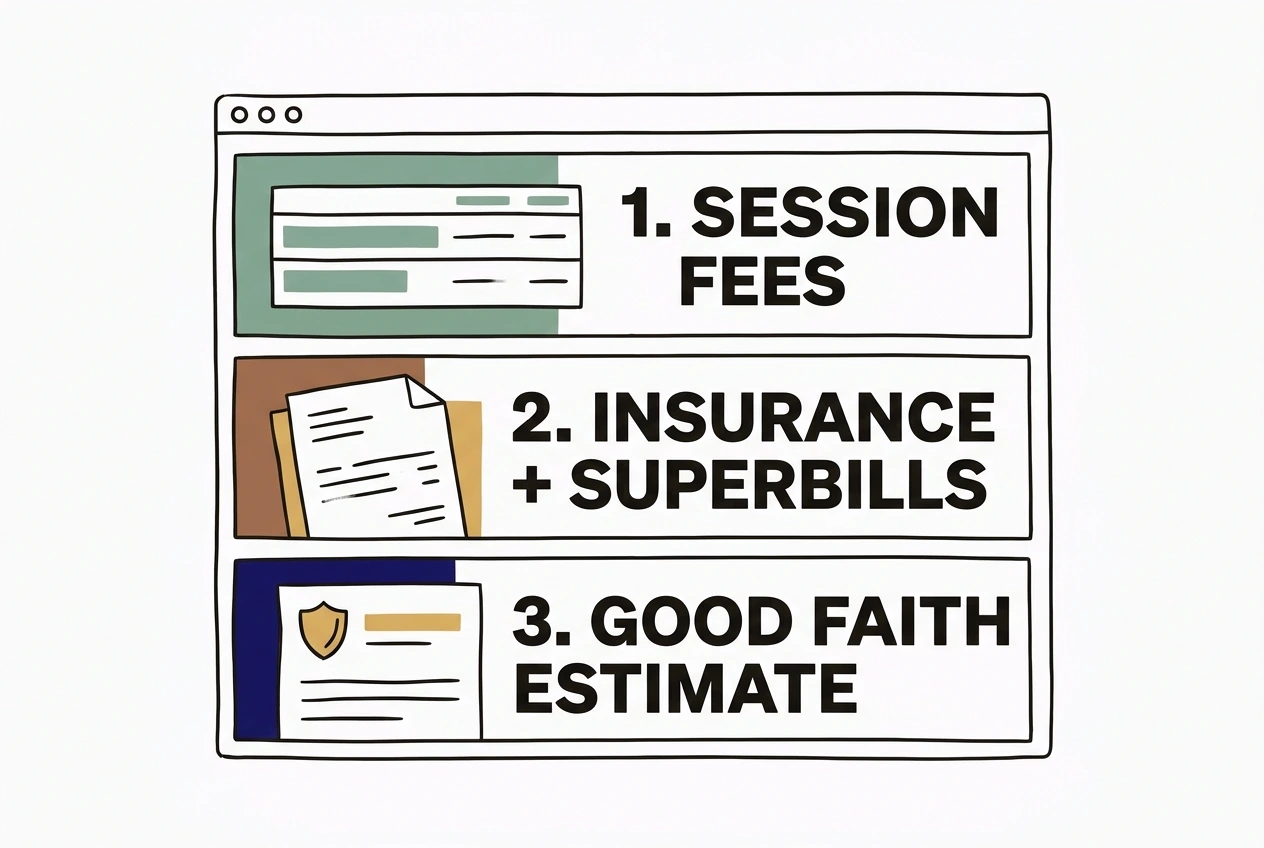
A strong therapist fees page puts three things in plain English: exact session rates, how insurance or superbills work, and your required No Surprises Act Good Faith Estimate website notice. Clear pricing reduces client anxiety, saves unpaid intake calls, and builds trust before the first session.
Money is the elephant sitting in every prospective client's tab bar. Someone looking for therapy at eleven at night wants to know whether they can afford to work with you before they work up the nerve to book a 15-minute phone call.
When a website hides rates behind "contact for pricing," nervous clients assume the fee is out of reach and quietly move on to the next therapist who posted a number.
If you need clean, ready-to-paste notice wording right now, open our free Good Faith Estimate website notice generator. No signup required.
The three parts of a calm therapist fees page
What the No Surprises Act asks for on your website
Federal No Surprises Act rules require healthcare providers to post a clear public notice explaining uninsured and self-pay clients' right to a Good Faith Estimate.
This guide is informational and not legal advice; confirm specific state board requirements with your attorney or professional association. Under federal guidance published by the Centers for Medicare & Medicaid Services (CMS) No Surprises Act hub, providers must make notice of the right to receive a Good Faith Estimate of expected charges easily findable on their public website and visible where scheduling or billing questions happen.
CMS's official Good Faith Estimate consumer guide outlines the core points your website notice should state clearly:
- Who it covers: Clients who do not have insurance or who choose not to use insurance (self-pay clients).
- When it is provided: In writing upon request, or automatically when a session is scheduled at least three business days in advance.
- Dispute protection: If a client receives a bill that is at least $400 more than their Good Faith Estimate, they may dispute the bill through the federal Patient-Provider Dispute Resolution process.
- Official reference link: Link directly to
cms.gov/nosurprisesso clients can read the official federal instructions.
As the CMS notice language puts it plainly, clients have the "right to receive a Good Faith Estimate explaining how much your medical care will cost." Putting that notice right on your Fees page and linking it in your footer satisfies transparency without cluttering your homepage.
How to structure a therapist fees page that books consults
Write your Fees page like a calm conversation with an anxious human, not a hospital billing policy.
| Section on your Fees page | What to include | Mistake to avoid |
|---|---|---|
| 1. Session rates | Exact dollar amount and session length for intake, individual, couples, and group sessions | Writing "competitive rates" or hiding fees until a phone call |
| 2. Insurance and superbills | Exact panels accepted, or step-by-step instructions for submitting an out-of-network superbill | Listing insurance logos without saying whether you are in network or out of network |
| 3. Good Faith Estimate notice | Plain-English No Surprises Act notice with contact email and cms.gov link | Uploading an unreadable scanned PDF instead of live text |
| 4. Cancellation and next step | Simple 24-hour or 48-hour policy followed by one calm consultation button | Ending the page on a stern legal warning with no way to book |
Across the private-practice sites we grade with Mirin's free therapist website grader, burying fee clarity is one of the fastest ways to lose well-matched private-pay inquiries. Practices that move exact session rates and superbill guidance into plain text typically field fewer mismatched price-shopping calls and higher-intent consultation requests.
Stanford web credibility guidelines reinforce this principle: clear, verifiable, easy-to-find practical information signals professionalism and trustworthiness immediately.
Generate a clean Good Faith Estimate notice for your Fees page in 30 seconds.
Enter your practice name, email, and phone to copy a plain-English No Surprises Act notice in plain text or clean HTML, ready for your Fees page or footer.
Generate my GFE notice- Add practice details
- Plain-English CMS points
- Copy text or clean HTML
- Paste on Fees or footer
Plain wording for out-of-network superbills and sliding scale
Most clients do not know what a superbill is until you explain it in two ordinary sentences.
Instead of writing "Superbills provided upon request for OON reimbursement," write what actually happens: "At the end of each month, we send you a simple itemized receipt called a superbill. You can submit it to your insurance plan for partial reimbursement if your plan includes out-of-network mental health benefits."
Add three short questions clients can ask the number on the back of their insurance card: Do I have out-of-network outpatient mental health benefits? What is my deductible and how much has been met? What percentage is reimbursed for CPT code 90834 or 90837?
That tiny helper block turns a confusing insurance hurdle into an immediate sense of relief. You can see how clean fee sections fit into full practice layouts in our therapist website examples and therapist website redesign guide.
Keep your fees and notices easy to update
Your Fees page only builds trust if it stays accurate when your rates, insurance panels, or sliding-scale spots change.
On a traditional agency site or rigid EHR mini-site, raising your rate by $15 or opening two sliding-scale slots turns into a support ticket or a forgotten chore. If you want to see how a dedicated public site pairs with your EHR so you can update fees and Good Faith Estimate links in seconds between sessions, explore Mirin websites for therapists or compare Mirin vs. SimplePractice.
A calm practice website where fee updates take ten seconds.
Paste your current practice URL. Mirin rebuilds your homepage free, usually within hours, with clear fees, Good Faith Estimate footer link, and direct EHR booking.
See my free practice redesign- Paste your practice address
- Review private draft
- Edit fees in plain words
- Publish live in seconds
Clarity about money is clinical warmth before the first session. State your rates plainly, explain superbills like a neighbor, post your Good Faith Estimate notice in live text, and put one gentle booking button right below it.